
Design Small Meeting Rooms That Maximize Productivity
Learn how to design small meeting rooms (4–8 people) in a workplace for maximum productivity with the appropriate layout, placement, audio, and control system setup.
3/3/20263 min read

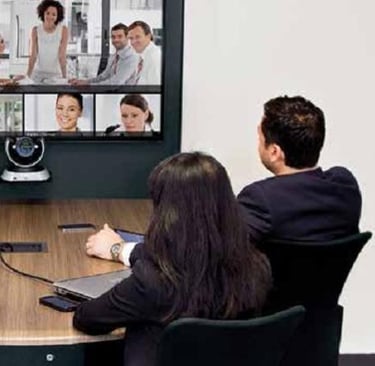
Most real work in an office does not happen in the boardroom. It happens in smaller spaces — the 4–8 person meeting rooms and personal cabins that are booked all day for internal syncs, vendor discussions, hiring interviews and quick decisions. These rooms are usually under four metres long. A central table. A wall-mounted display. A few chairs. Simple on paper. But the way you design this space determines whether meetings start instantly — or start with friction.
Here’s how to think about designing a small meeting room that actually improves productivity.
Start With Proportion, Not Furniture
A productive small meeting room feels balanced.
It comfortably seats four to eight people without crowding the walls or forcing participants too close to the display. Once laptops are open, there should still be breathing space on the table. The room should not feel like it was designed for six and adjusted to fit eight.
When the room is under four metres in length, every design decision matters. Oversized tables, bulky chairs or unnecessary cabinets create visual and physical clutter.
The goal is simple: the room should feel intentional — not assembled.
Make the Display the Anchor
In a small meeting room, the display is not an accessory. It is the focal point.
Mounted at natural eye level, it should clearly define the front of the room. When someone walks in, there should be no ambiguity about where attention goes. Avoid visible cables, shifting inputs or temporary-looking setups.
A clean, fixed display reduces hesitation. And hesitation is what quietly delays meetings.
Position the Room System for Natural Interaction
If you are using a dedicated video conferencing system for a small meeting room, placement matters more than most people realise.
Mount the device directly below the TV, centred, and aligned with seated eye level. Not above the display. Not off to the side.
When the camera matches natural sightlines, remote participants see faces — not ceilings or awkward angles. The interaction feels human.
Audio quality is equally critical. In a 4–8 person room, the microphone should comfortably capture every voice without anyone leaning forward. Built-in noise suppression and echo cancellation are essential. No one should ask, “Can you hear me?” halfway through a meeting.
When technology works invisibly, attention stays on the conversation.
Keep Control Simple and Obvious
On the table, there should be only what is necessary: a control tablet, perhaps a remote, and a clean charging dock. Nothing else competing for attention.
The experience should feel instinctive. You walk in. The list of scheduled meetings is already visible on the display. You tap “Join” on the tablet. Once inside, the same tablet controls audio, camera and layout.
No login rituals. No cable shuffle. No searching for the right input.
If possible, add a room scheduling display outside the door showing “In Session” and the next available slot. It reduces interruptions and eliminates booking confusion. Small design decisions compound into smoother daily operations.
Provide a Clear Collaboration Surface
Every productive small meeting room needs a place for ideas to land. That might be a traditional whiteboard or a digital writing surface. Its placement should support the natural flow of conversation — often on a side wall rather than directly competing with the display.
The ideal flow feels seamless:
Discussion → Video → Whiteboard → Back to Video.
When collaboration tools feel integrated instead of added on, meetings move faster.
Design for Instant Start
The ultimate test of a small meeting room design is simple:
How long does it take to start a meeting?
If the first three minutes are lost to setup, the design has failed. If IT repeatedly receives tickets about audio or inputs, the design has failed. If every room behaves slightly differently, the design has failed.
A well-designed small meeting room has three quiet characteristics:
It is uncluttered. It behaves consistently. It starts instantly.
When those conditions are met, the technology fades into the background. And that’s when productivity actually increases.
Thinking Beyond a Single Room
If you are designing multiple small meeting rooms across floors or locations, consistency becomes even more important. A standardized approach to layout, device placement and control systems ensures users never have to “re-learn” a room.
If you're evaluating how to structure small meeting rooms across your organisation, a purpose-built system like OneTap can help deliver that consistent experience — without adding complexity for IT.
Because in the end, a small meeting room is not just a space. It’s a productivity system.
Follow Us
Connect
sales@tifoh.com
© 2025. All rights reserved.
+91 7678662078